Copy a Project
Projects can be copied from one area to another. This is helpful if the same kind of child project is used in more than one parent project, or if you need to create a new project based off an old one. Once a project has been copied from one location to another, you can edit the copy to make it unique.
- Navigate to projects.
- Select a project.
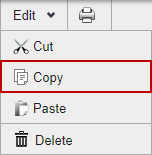
- Click Edit > Copy.
- Select where you want the project copied.
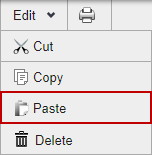
- Click Edit > Paste. The copied project is placed under the one you selected.
The copied project has the word Copy at the end of the name to indicate that it is a copy of an existing project. You can edit the name by selecting the copied project and clicking Open Project, then editing the name.